Update permit details
Daily workflow
Use this process to correct imported details or update an existing permit.
Open the permit
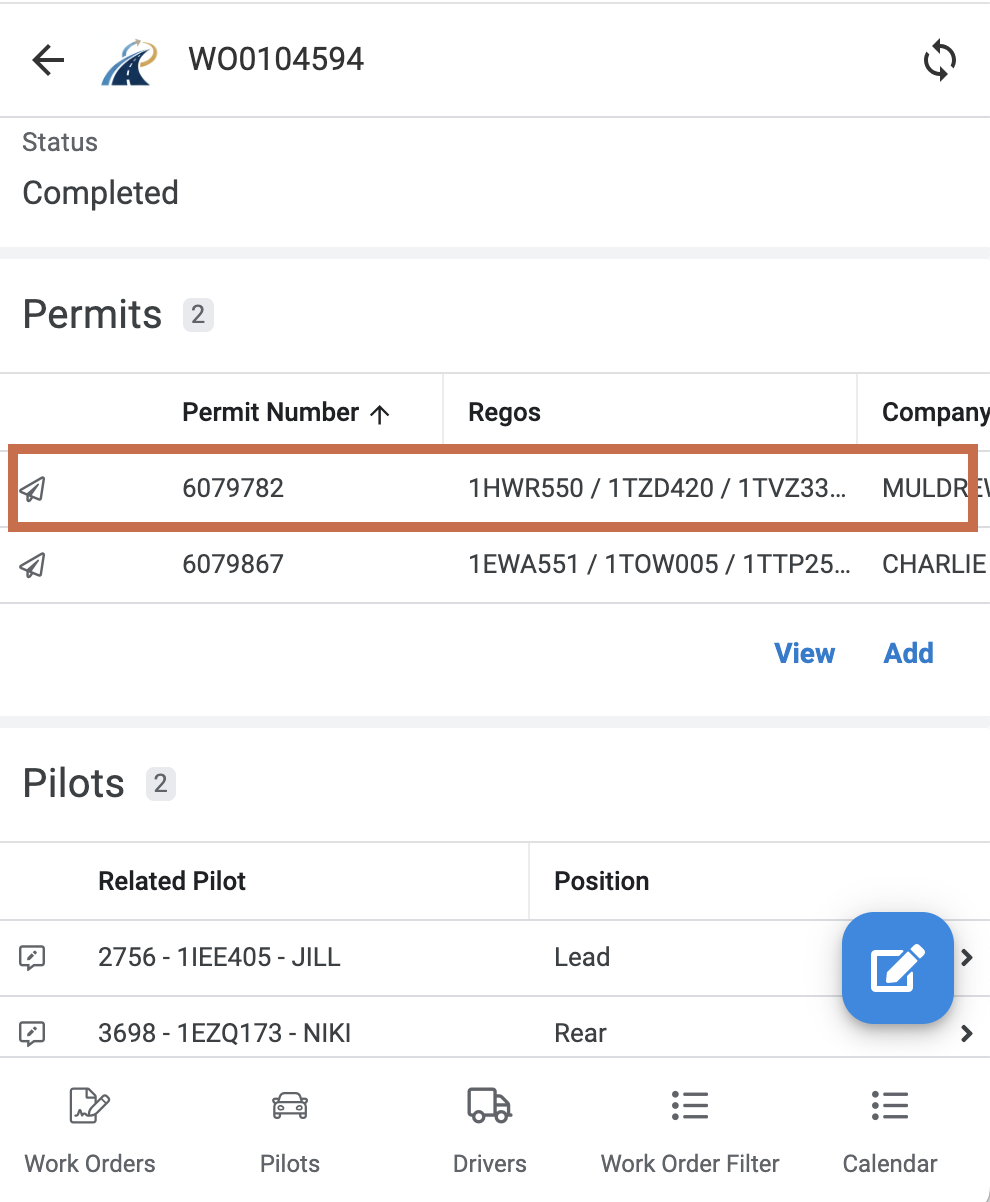
- Open the Work Order.
- Scroll to Permits.
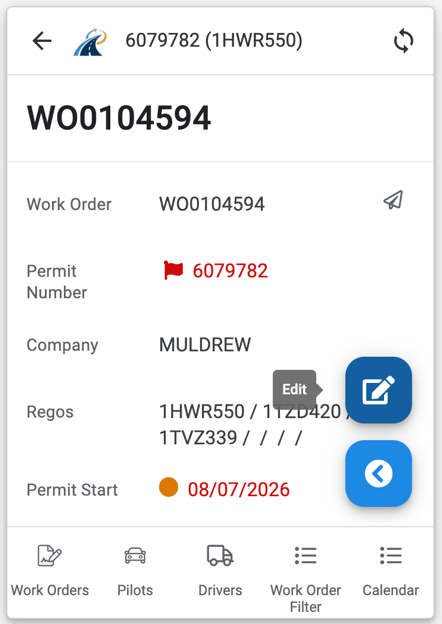
- Select the permit number.
- Select the blue Edit button.
Correct the details
Review the saved information against the permit PDF and update any missing or incorrect fields.
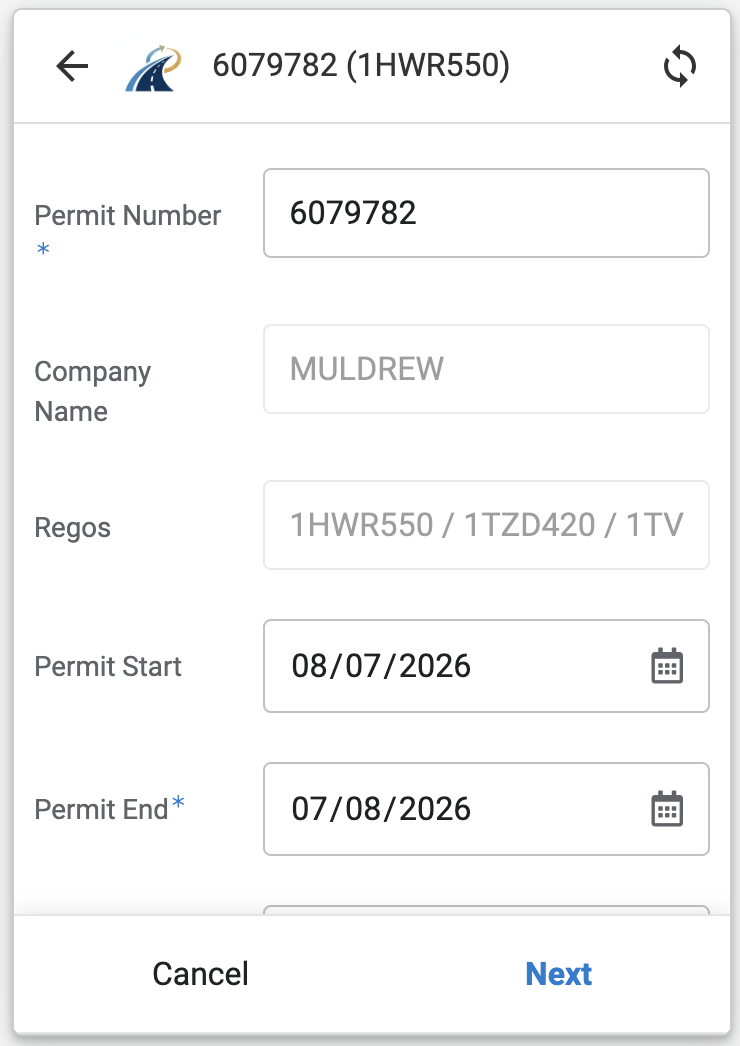
Select Next, review the remaining fields, then select Save.
Changing axle setup resets the axle rows
Changing the Axle Source, axle number or axle configuration resets the saved axle information. Re-enter and check the axle spacings before saving.