Start a Work Order
Daily workflow
Open the next Work Order
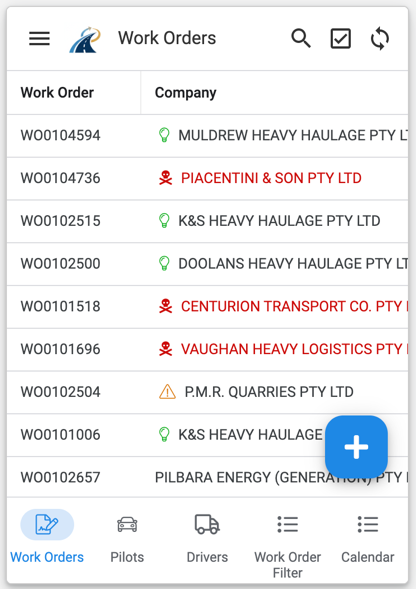
From the Work Order list, select the next Work Order you need to complete.
Review the job details
Confirm that you have opened the correct Work Order. Check the scheduled date and time, company, route, load description, dimensions, permits, assigned pilots and drivers.
The Work Order may also include maps, photos, a pilot summary and the predicted operational outcome.
