Record actual axle spacings
Daily workflow
Open the axle table
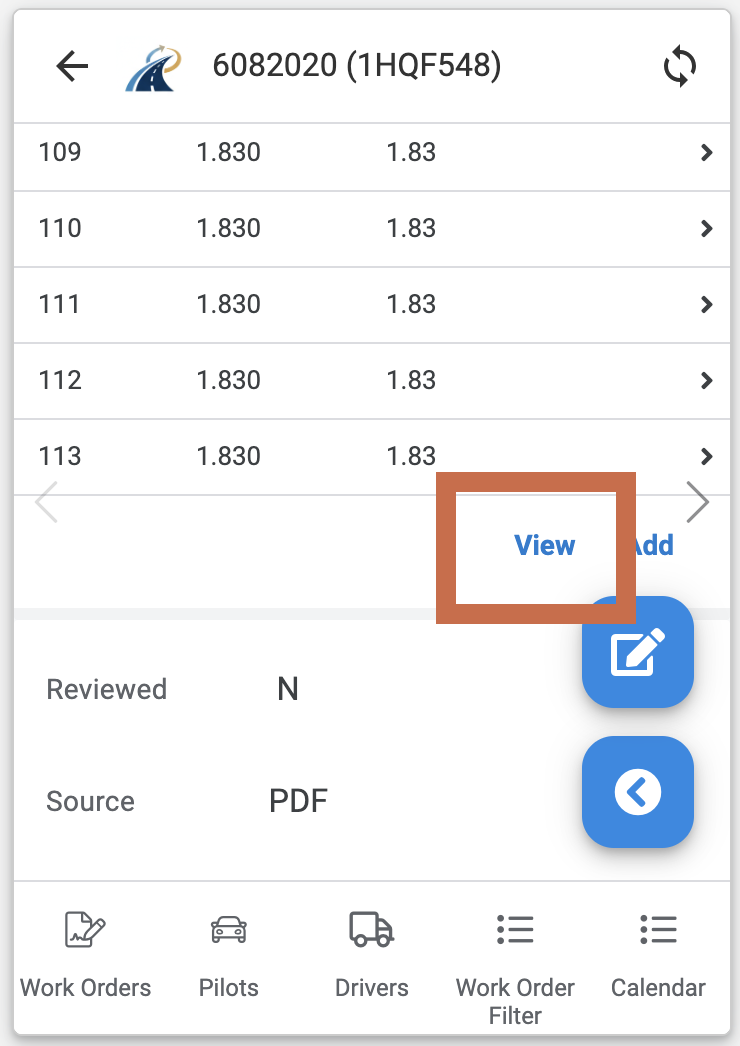
- Open the relevant permit.
- Scroll to Related Axles.
- Select View.
Enter the actual spacings
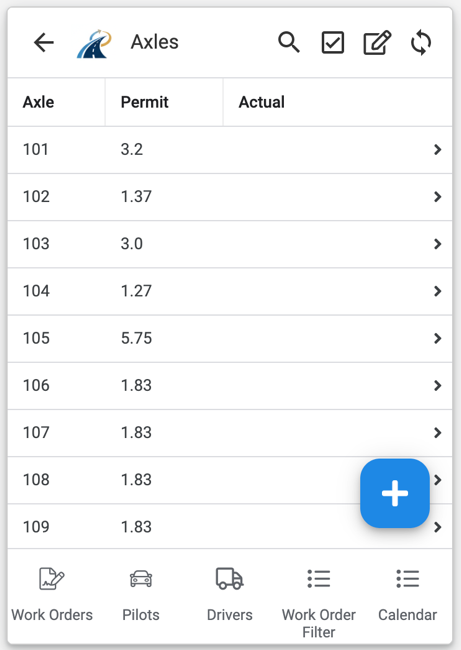
- Select the edit control in the top-right corner.
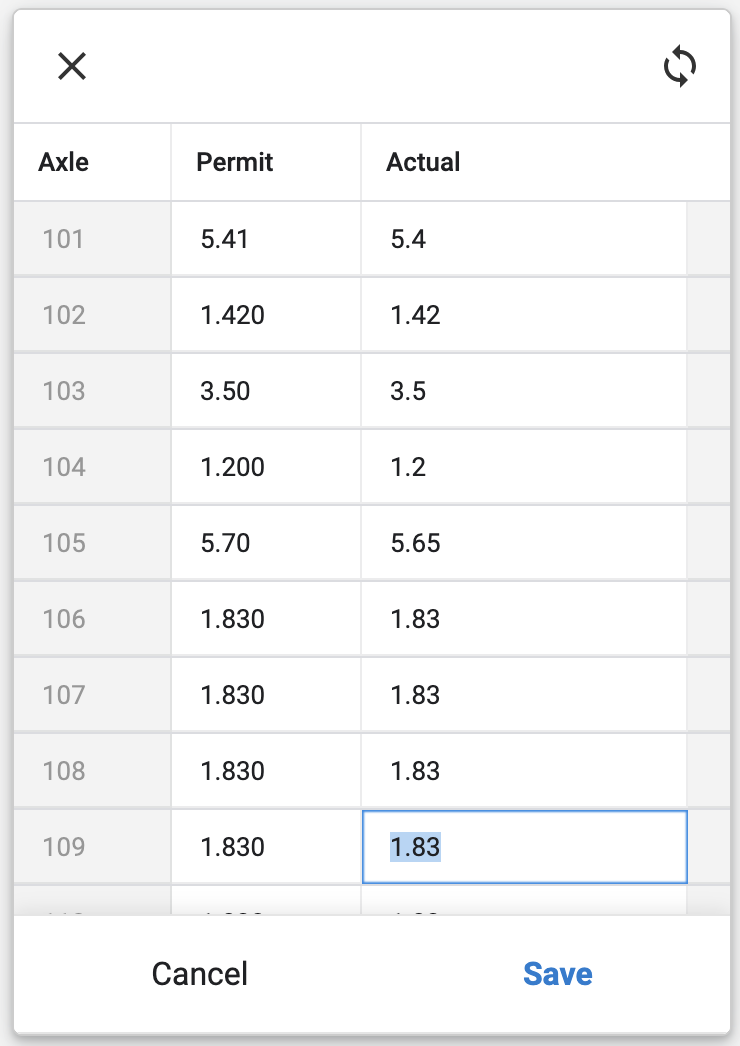
- Enter each actual axle spacing in the corresponding row.
- Check the sequence against the vehicle combination.
- Select Save.
The actual axle spacings are now saved against the permit.