Add pilots and drivers
Daily workflow
Add every pilot and driver performing a role on the movement.
Add a pilot
- Open the Work Order and scroll to Pilots.
- Select Add.
- Search by the pilot's name, pilot number or vehicle registration.
- Select the correct pilot.
- Choose the pilot's convoy position: Lead, Swing, Rear or Contra.
- Save the record.
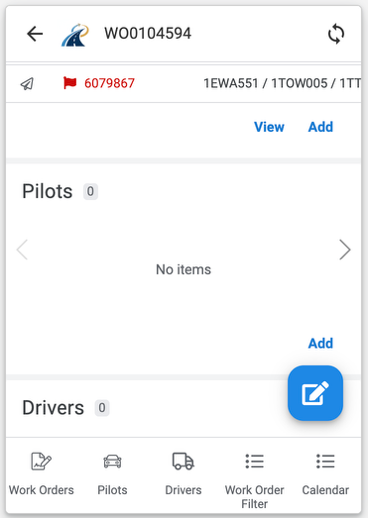
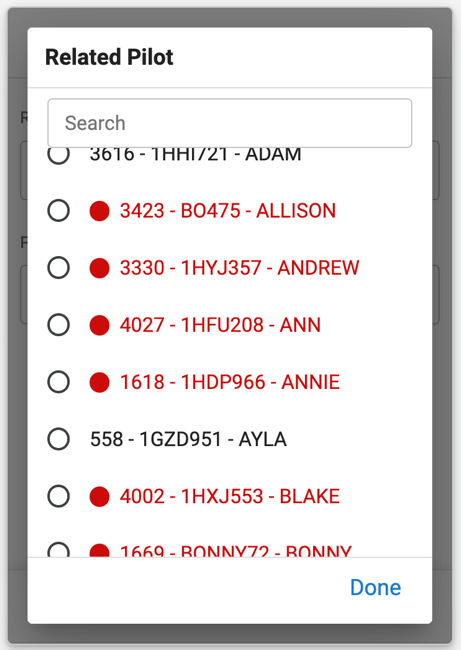
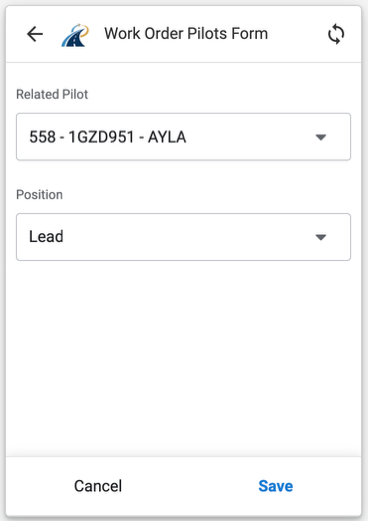
Repeat the process for every pilot required for the movement.
Review pilot warnings
A pilot shown in red has information that requires attention, such as an expired licence, expired vehicle registration or missing details. Open the pilot record, correct the information where appropriate, and save it before uploading the actual details to TESS.
Pilots & Drivers MDL Numbers
Pilots and Drivers MDL (licence numbers) are encrypted. After a number is saved, only a masked version is displayed in the app. The complete number is decrypted only when it is sent to TESS.
Add a driver
- Scroll to Drivers and select Add.
- Search for and select the correct driver.
- Choose Prime Mover or Block Truck.
- Select the permit used by that driver.
- Select Done.
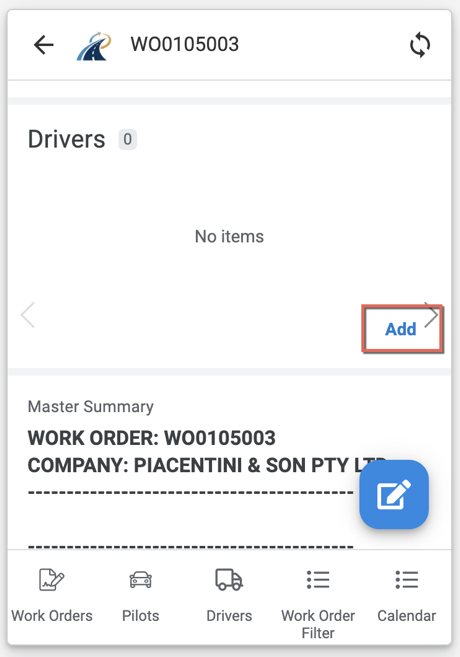
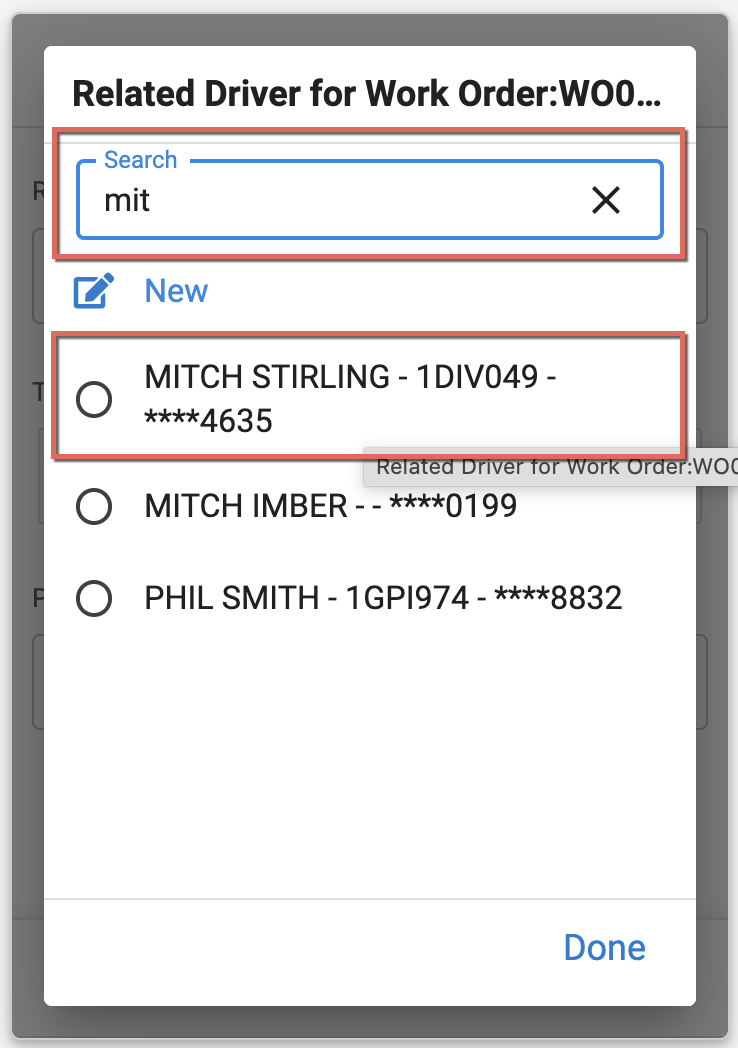
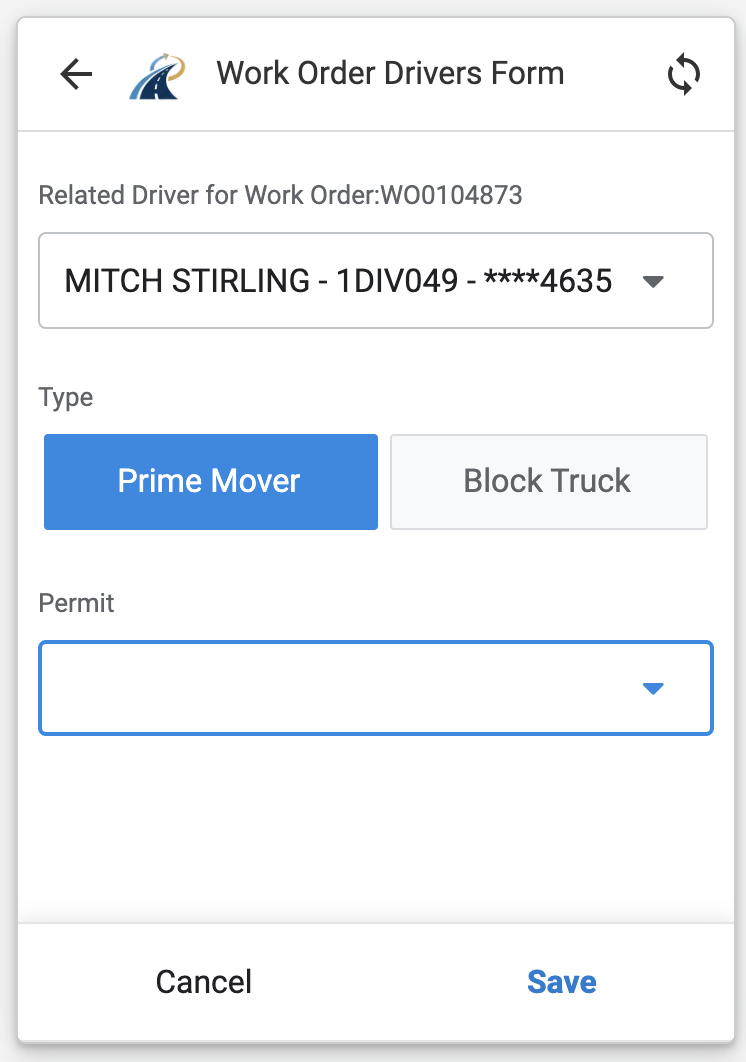
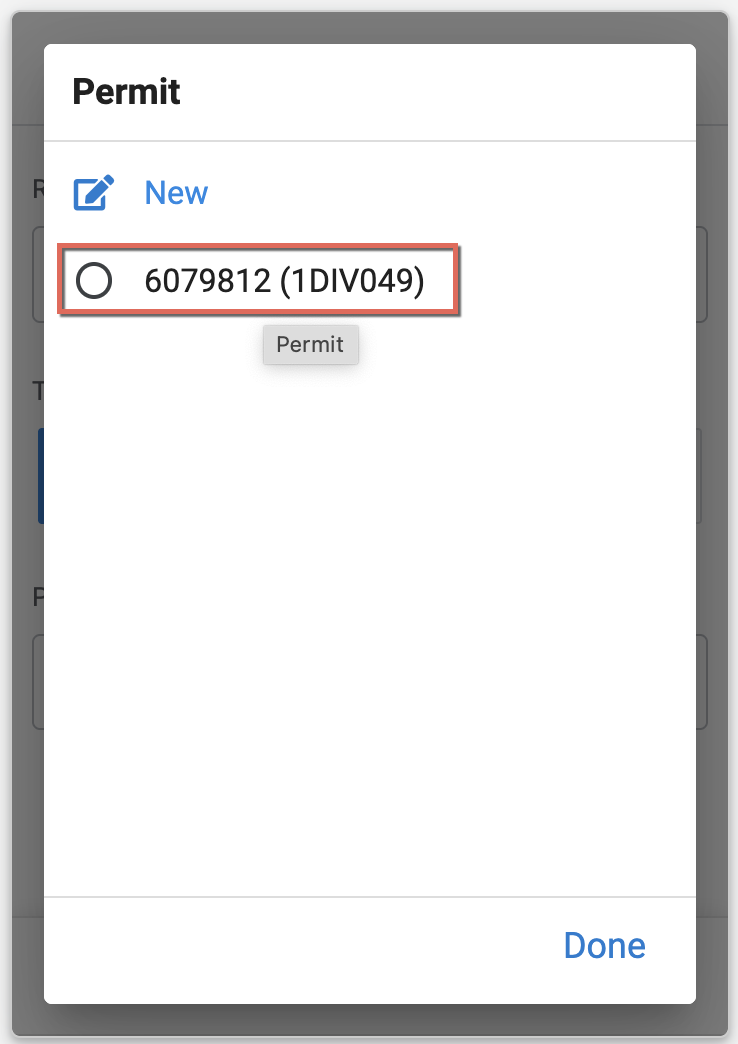
Use the same permit when adding the associated block-truck driver. Repeat the process for additional drivers and permits.
Review driver warnings
A driver shown in red has information that requires attention, such as an expired licence or missing details. Open the driver record, correct the information where appropriate, and save it before uploading the actual details to TESS.